A physical item is only as trackable as the tag on it. Find Asset turns any QR label or asset ID tag into a live link to that item's record, so a single scan pulls up its full history, owner, and status.
Choose the material that survives the environment, place the tag where it will actually be scanned, and let your phone or scanner do the rest. Identify, assign, and audit assets in seconds, right where they sit.
Point, scan, and the record opens instantly
Everything you need to link physical items to their records and keep that link readable for years.
Pair each asset with the right stock — anodized aluminum, polyester, vinyl, or tamper-evident destructible labels — so the tag survives heat, solvents, abrasion, and outdoor exposure.
Every tag carries a scannable QR and a human-readable asset ID, so items can be identified by phone scan or by eye when a camera isn't handy.
Your team scans a QR with a standard phone camera or the Find Asset app to open the exact record — no dedicated hardware required to identify an asset.
Record where each tag is affixed so the next person knows exactly where to look, cutting the time spent hunting for a label on a large or awkward asset.
Scanning a tag lets you check an asset in or out and reassign it to a person, location, or department on the spot, with the change written straight to the record.
Walk a room, scan each tag, and Find Asset marks those assets as verified — turning a full physical audit into a steady sequence of quick scans.
A durable, well-placed tag is the difference between a spreadsheet of assets and a system you can actually trust on the floor.
A permanent tag ties a specific physical object to a single record, so there's no guessing which laptop or tool a line item refers to.
Identifying, assigning, and verifying assets by scan removes the manual lookup step, so routine tasks that used to interrupt work now happen in passing.
Tamper-evident and destructible options make it obvious when a tag has been peeled or moved, protecting the integrity of your register.
Because the tag does the identifying, staff don't need to memorize asset IDs or navigate the system — they just scan what's in front of them.
From choosing stock to closing an audit, the tagging workflow is built into Find Asset end to end.
Every asset-tracking system rests on one quiet assumption: that the object in front of you can be matched, with certainty, to a record in the software. Asset tags and QR labels are what make that assumption true. Without a physical link between the item and its data, even the most detailed register is just a list of things you hope you still own. A tag closes that gap by giving each asset a permanent, scannable identity that anyone can read.
Material choice is where durability begins. A polyester label suits an office laptop, but a metal chassis in a hot, oily workshop needs anodized aluminum or a solvent-resistant stock, and an item you want to protect from tampering calls for a destructible or tamper-evident label that shows when it's been disturbed. Choosing the stock to match the environment is the difference between a tag that lasts the life of the asset and one that peels or fades within months, quietly breaking the link you depend on.
Placement matters just as much as material. A tag scanned a hundred times a year should sit where a hand and a camera naturally reach it — not tucked underneath, not on a surface that gets gripped or wiped down. Find Asset lets you record where each tag is affixed, so the next person to scan an asset knows exactly where to look instead of circling a machine hunting for a label.
Once the tag is on and its placement is known, scanning is what brings it to life. A single scan identifies the item, opens its full record, and lets you assign it, check it out, or verify it during an audit — all without typing an ID or searching a screen. Durable material, deliberate placement, and effortless scanning are three parts of one foundation: get them right, and every other thing you do with your assets gets faster and more trustworthy.
Colour, print-embedded aluminium plate tags built to outlast the asset — supplied ready to mount.
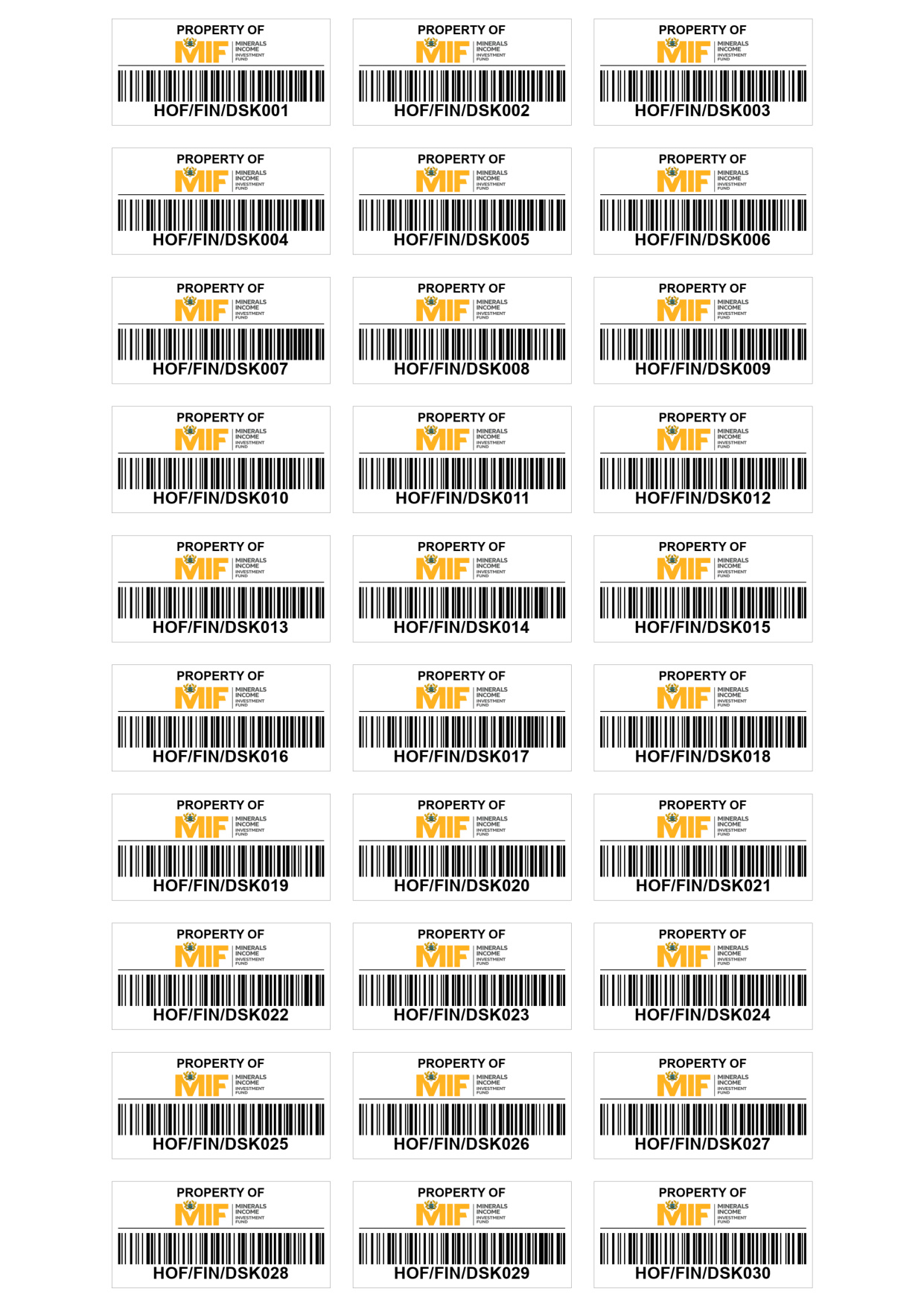
Beyond adhesive labels, Find Asset also supplies and produces A4 sublimated plate asset tags — rigid aluminium plates where the design is dye-sublimated into a hardened surface coating rather than printed on top. Because the image is embedded in the coating, the barcode, logo and asset ID stay sharp and readable through sun, heat, water, cleaning chemicals and abrasion, for the working life of the asset.
Each plate carries your organisation's branding, a scannable barcode and a human-readable asset ID, laid out on an A4 production sheet and finished ready to mount. The sample shown was produced for the Minerals Income Investment Fund (MIIF).
Give every item a durable QR or asset ID tag that links straight to its record. Start tagging with Find Asset and turn a single scan into instant identify, assign, and audit.
Start Free Trial