
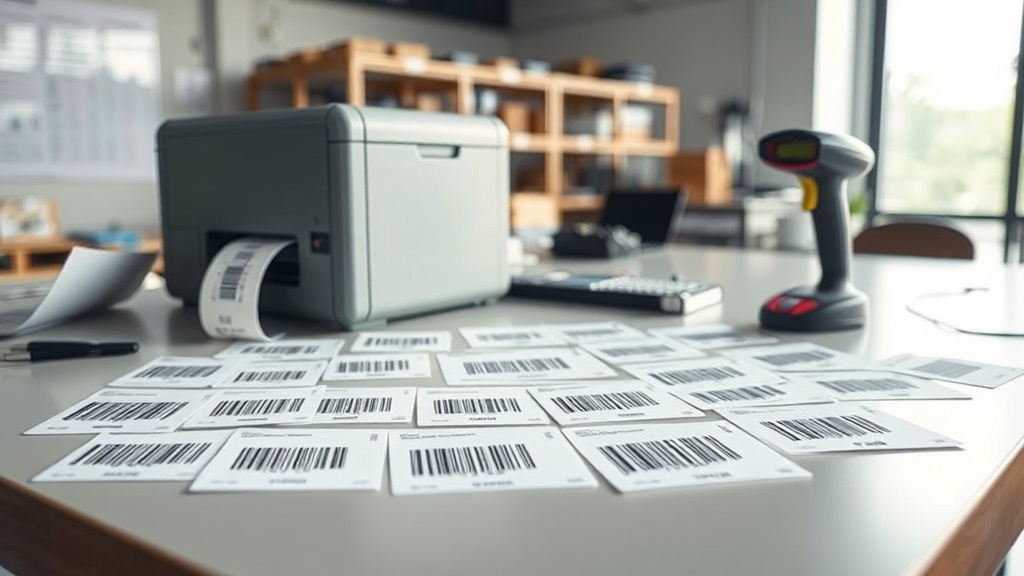
Two organisations can buy the same asset labels, the same scanners and the same software, and still end up with wildly different experiences at the point of scanning. One team scans a fixed asset in half a second on the first try; the other keeps re-aiming, wiping the label, and eventually types the number by hand. More often than not the difference is not the hardware at all. It is the barcode symbology printed on the tag, and whether it suits the item, the label size and the way people actually scan.
Symbology simply means the language a barcode is written in. Code 128, QR and Data Matrix are the three you will meet most in asset management, and each was designed for a different job. Choosing well is a five-minute decision that quietly shapes years of scanning. This guide explains what each one is good at, where it struggles, and how to match the right code to the right asset without overthinking it.
What a symbology actually decides
A barcode does one thing: it turns a string of characters into a pattern a scanner can read back reliably. The symbology governs three practical outcomes you will feel every day. First, the data type and length it can hold. Second, the physical space it needs on the label. Third, how forgiving it is when the label is scratched, curved, dirty or partly worn away. Those are not academic distinctions; each one shows up as a real scan that either works instantly or wastes somebody's afternoon on a store-room floor.
Those three factors pull against each other. A code that packs a lot of data into a tiny square is harder to print sharply on a cheap printer. A code that scans from a distance takes up room you may not have on a small tool. There is no single winner, which is exactly why more than one symbology survives. The skill is matching the code to the constraint that matters most for that asset, and being honest about which constraint that actually is before you commit a whole print run.
Code 128: the dependable one-dimensional workhorse
Code 128 is a linear, or 1D, barcode: the familiar row of black bars of varying width. It encodes the full set of characters used in most asset tags, including letters, numbers and common symbols, and it does so compactly for a 1D code. If your asset numbers look like FA-2026-00417 or MIIF-LAP-0093, Code 128 handles them cleanly, and it does so without demanding a high-resolution printer or a sophisticated imaging scanner to read it back.
Its strengths are speed and tolerance. A well-printed Code 128 label scans almost instantly, even with an inexpensive laser or CCD scanner, and even when the person aiming is in a hurry. It also prints crisply at modest resolution, which matters when you are running hundreds of labels on a desktop Zebra printer. For laptops, monitors, office furniture, generators and most general equipment, it remains the sensible default that a store team can pick up and use without any training at all.
The trade-offs are real, though. Code 128 stores a limited amount of data, so it is best used to hold a short asset ID that points to a full record in your system, rather than trying to cram details onto the label itself. It is also wide and short, which means it needs a horizontal strip of clear space. On a narrow cable, a round tool handle or a small sensor, that strip simply may not fit, and forcing it on anyway is how you end up with tags nobody can read.
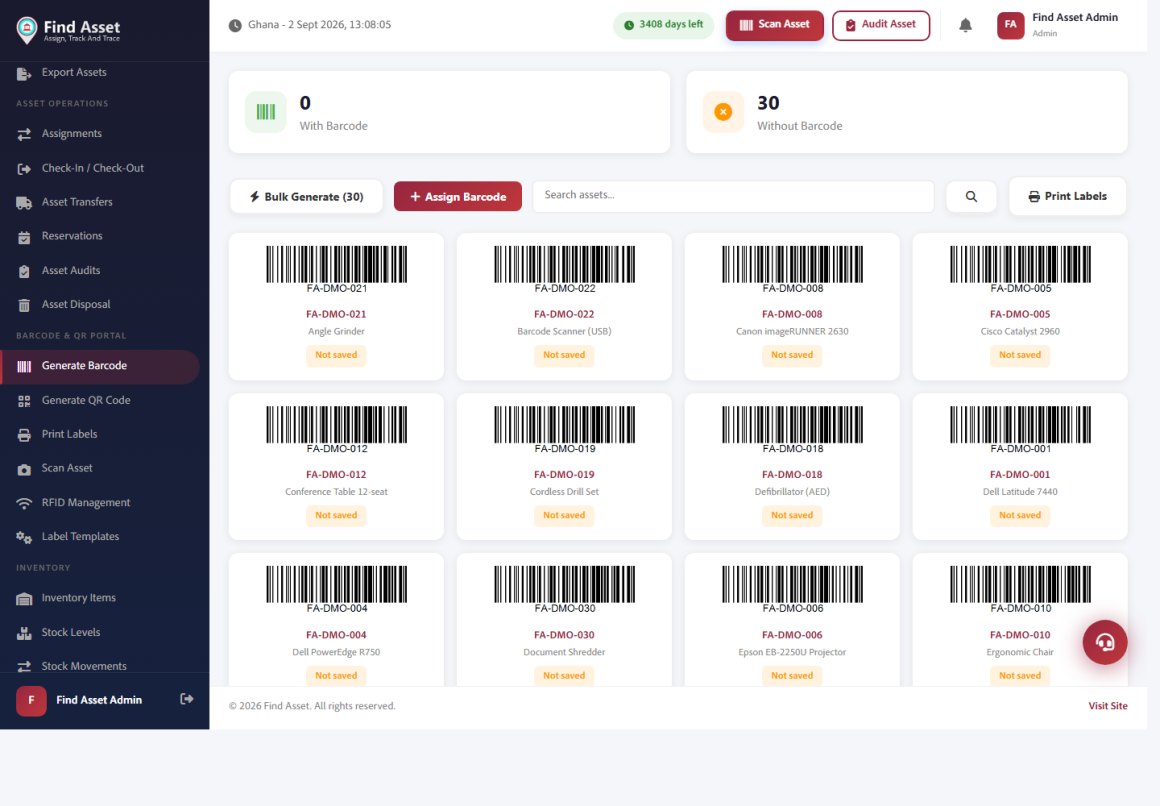
Find Asset generates the codes for you in whichever symbology suits the job. Selling products as well as tracking assets? The free GTIN barcode generator renders authentic retail codes — EAN-13, UPC-A, EAN-8 and UPC-E — with the check digit calculated for you. The screen below shows the barcode portal across the register — bulk-generate Code 128 barcodes for every asset, preview them, and send them straight to the label printer. You pick the symbology and size; the software encodes each asset's real ID so a scan resolves to its record.
QR codes: high capacity and phone-friendly
QR is a two-dimensional, or 2D, code: the square grid of dots most people now recognise. It holds far more data than Code 128, can be scanned from any angle, and, crucially, reads on an ordinary smartphone camera with no dedicated hardware. For teams doing audits with the phones already in their pockets, that last point is decisive, because it removes the cost and logistics of buying, charging and distributing a fleet of handheld guns to every person who needs to count something.
QR also brings built-in error correction. You can lose a meaningful portion of the code to a scratch, a smudge or a torn corner and still get a clean read, because redundant data is baked into the pattern. That resilience, plus the ability to encode a full web link, makes QR a strong choice for public-facing or field assets: a maintenance QR on a hospital pump or a school projector can open a page showing service history or a report form directly on a technician's phone, turning a dumb sticker into a doorway to the record.
The catch is size and print quality. To hold more data, a QR code needs enough physical area and a sharp print; squeeze it onto a tiny label at low resolution and scanners will struggle. For very small items, a QR often ends up either too cramped to read or too large to fit. The temptation to shrink it just a little more to make it sit neatly is exactly the temptation that produces a batch of labels that photograph fine but refuse to decode in the field.
Quick rules of thumb
- Short ID on a medium or large asset, scanned with a gun: reach for Code 128.
- Auditing with staff phones, or you want a link to open: use QR.
- A genuinely small item, metal part or curved surface: Data Matrix earns its place.
- Whatever you choose, encode a stable asset ID and let the system hold the detail.
Data Matrix: made for the smallest, harshest surfaces
Data Matrix is the other major 2D symbology, and it is the specialist of the three. It packs data into a very small footprint, holds its readability at tiny sizes better than QR, and includes strong error correction of its own. This is the code you see etched onto surgical instruments, circuit boards, small tools and metal components, precisely because it survives where others cannot. It was designed by people who needed a code to outlast the item it was marking, not merely to look tidy in a catalogue.
Its headline advantage is density on small surfaces. Where a QR would need a stamp-sized area, a Data Matrix can carry a usable ID in a few millimetres, and it can be permanently marked directly onto metal rather than printed on a paper label that peels off in a workshop. For laboratories, hospitals and manufacturing floors across the region, that durability is often worth more than smartphone convenience, because a laser-etched code cannot fall off, fade in the sun, or get soaked in cleaning fluid the way an adhesive tag can.
The trade-off is ecosystem. Consumer phones read QR effortlessly out of the box; Data Matrix support on phones is improving but less universal, so you are more likely to want a proper imaging scanner. For that reason it tends to be a deliberate choice for specific asset classes rather than an organisation-wide default. Reach for it when the surface or the environment forces your hand, not because it sounds more advanced than the alternatives on a specification sheet.
Putting the three side by side
Specifications matter less than how each behaves on a real tag in a real workflow, with a tired operator, an imperfect printer and a surface that was never meant to hold a label. The table below summarises the practical differences that should drive your decision, and it is deliberately framed around jobs and limitations rather than raw data-capacity figures, because the number of characters a code can theoretically hold rarely decides anything on the ground.
| Symbology | Type | Best for | Main limitation |
|---|---|---|---|
| Code 128 | 1D linear | Short IDs on medium and large assets; fast gun scanning | Low data capacity; needs a wide strip of space |
| QR | 2D matrix | Phone-based audits; links to records; forgiving reads | Needs area and sharp print; poor when tiny |
| Data Matrix | 2D matrix | Very small items, metal parts, direct marking | Less universal phone support |
| PDF417 | 2D stacked | ID cards and documents needing large text payloads | Bulky; rarely ideal for asset tags |
Notice that no row wins outright. The right answer changes with the asset, and most mature registers end up using two symbologies: Code 128 or QR as the everyday standard, with Data Matrix reserved for the small and the rugged. That is not indecision; it is a sign the organisation has matched each code to the job in front of it rather than chasing a single format for the false comfort of uniformity across a diverse fleet of equipment.
How to choose without overthinking it
Start from the constraint that hurts most. If your assets are mostly office and field equipment scanned by a store team with handheld guns, Code 128 keeps things fast and cheap. If audits happen on phones, or you want a technician to open a maintenance page from the tag, QR is the natural fit. If you are labelling instruments, small electronics or anything that lives in a harsh environment, Data Matrix pays for its slightly higher complexity by surviving conditions that would render an ordinary printed label useless within weeks.
Two principles apply whatever you pick. First, encode a stable identifier, not a pile of detail: the tag should point to the record, so that a repair, a transfer or a rename never invalidates the label. Second, respect the quiet zone and the minimum size for your printer. Most scanning failures trace back to a code printed too small, too dense or without clear space around it, not to the symbology itself, which is why the humble decisions about size and margin matter more than the choice of code.
Common mistakes that break scanning
The symbology rarely fails on its own; the tag around it does. The three recurring culprits are printing the code too small for its data, shrinking the quiet zone to fit more onto a label, and placing the tag on a curved or reflective surface where the scanner cannot get a flat read. Each is avoidable at design time and painful to fix once thousands of labels are already in the field, which is why a few minutes of discipline at the template stage is worth days of reprinting later.
Material matters too. A paper QR on a machine that runs hot, gets oily or lives outdoors in Accra's humidity will not last, however good the code. Matching the label stock and adhesive to the environment is as important as the symbology, and a scratched or peeling label defeats even the best error correction. If reads start failing across a batch, our barcode won't scan checklist is the fastest way to isolate the cause before you assume the code itself was the wrong pick.
Bringing it together
Symbology is not a technology debate to win; it is a fit-for-purpose decision to make once and then apply consistently. Code 128 stays fast and cheap for everyday assets, QR unlocks phones and links, and Data Matrix conquers the small and the rugged. Choose by the constraint that matters, encode a stable ID rather than raw detail, and give every code the size and clear space it needs to read first time, and you will have removed almost every reason a scan ever fails in day-to-day use.
That is exactly the kind of decision Find Asset is built to make painless: design clean labels in any of these symbologies, print them in bulk to a Zebra printer, and scan them with a gun or a phone against a single source of truth. If you are ready to standardise your tagging, start a free 14-day trial. For a deeper technical background, the overview of barcodes and symbologies is a useful primer.