
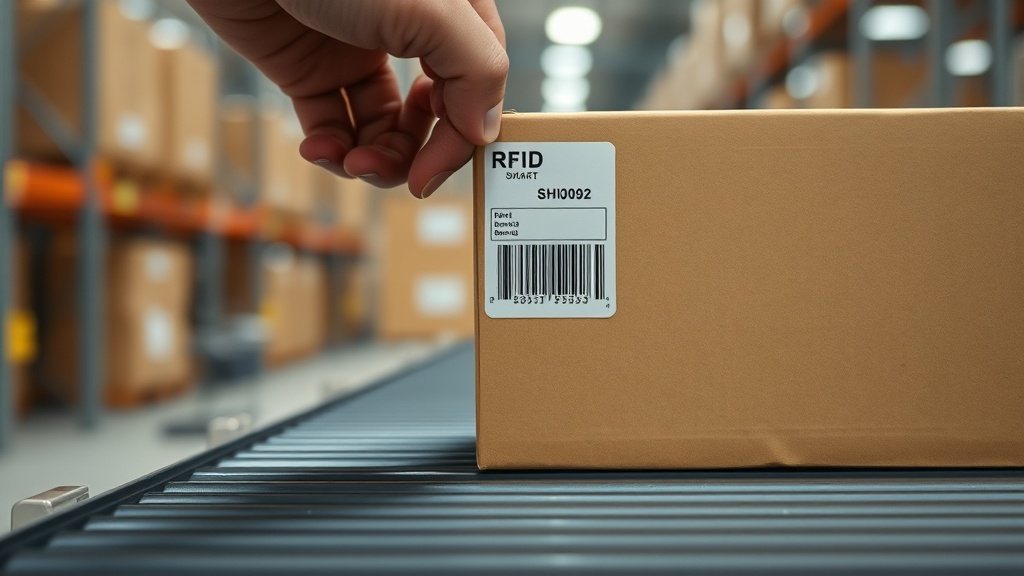
Walk a fully RFID-tagged warehouse and something unnerving happens: you sweep a handheld reader down an aisle without pointing it at anything in particular, and a hundred items announce themselves in a couple of seconds. No line of sight, no scanning each label one at a time, no crouching to find the barcode hidden against a wall. It looks like magic, and because it looks like magic most people assume the technology behind it is exotic and expensive. It is neither.
An RFID smart label is, at heart, a very ordinary printed label with a tiny antenna and chip sandwiched inside it. What makes it useful is a small block of data written to that chip, called the EPC, plus the fact that a reader can wake the chip up over radio waves and read that data from across a room. This guide explains, in plain English, how that number gets onto the chip, how a desktop printer encodes and prints in a single pass, and when the whole exercise is worth the extra cost over a printed barcode.
What is actually inside a smart label
Peel apart a UHF smart label and you find three layers. On top is the face stock you print on, exactly like a normal thermal label. Underneath sits the inlay: a printed aluminium or copper antenna with a grain-of-sand-sized chip bonded to it. At the bottom is the adhesive. The chip has no battery. It harvests the energy it needs from the reader's radio signal, which is why these are called passive tags and why they cost cents rather than dollars.
The chip holds a few small banks of memory. The one that matters for asset tracking is the EPC bank, where the identifying number lives. There is also a permanently fixed serial number burned in at the factory, called the TID, which no one can overwrite, plus a small optional user-memory area some tags offer for extra data. For the vast majority of asset work you only ever touch the EPC bank, and you can safely ignore the rest until you have a specific reason to reach for it.
The EPC is just a structured number
EPC stands for Electronic Product Code, and despite the intimidating name it is simply a unique number stored in a defined layout. In retail it often encodes a product's global trade item number plus a serial, following the GS1 standard. For internal asset tracking you are not bound by any of that. You can write your own scheme, and most organisations should, because the numbers only ever have to be unique and meaningful inside your own register rather than across the global supply chain.
A sensible internal EPC mirrors the human-readable asset tag you already use. If your printed tags read FA-LAP-000431, the smart label's EPC can carry the same identity so the physical world and your register never disagree. A UHF EPC is typically 96 bits, which is enough room for an organisation prefix, an asset-class code, and a running serial with plenty to spare. The reader reports it back as a string of hexadecimal characters, but the meaning underneath is entirely yours to design.
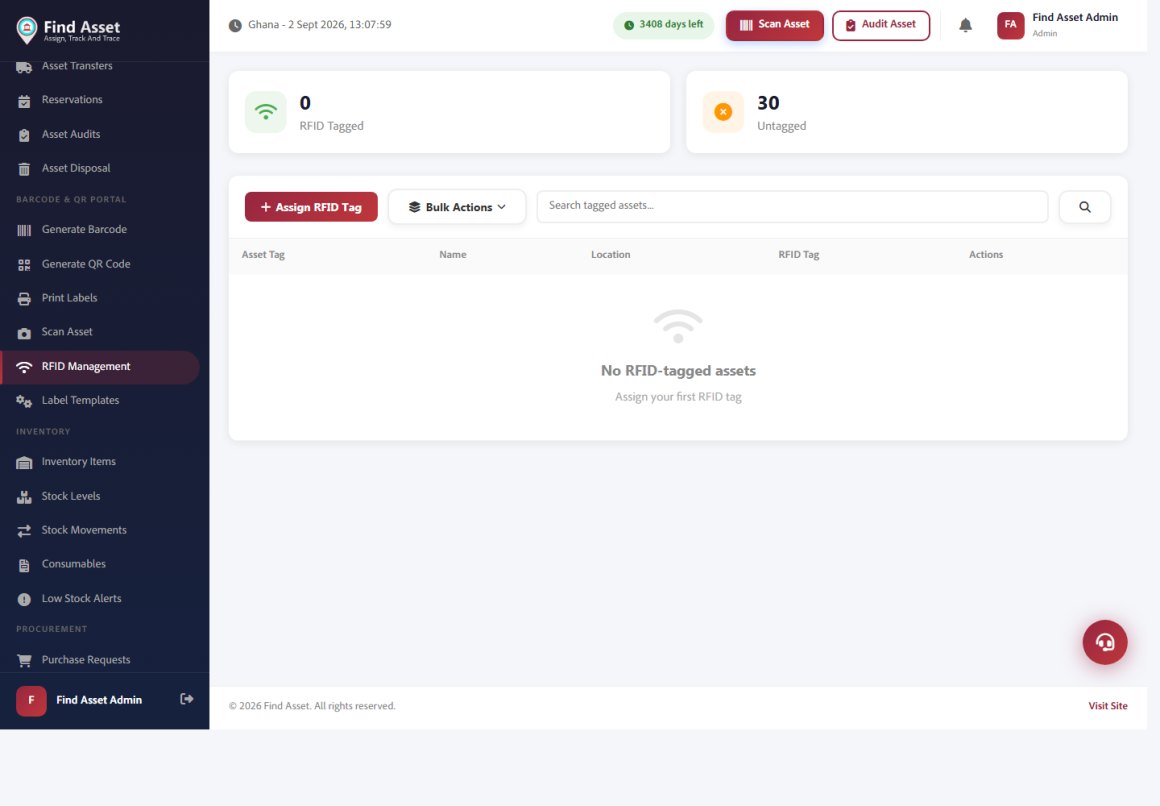
Find Asset supports RFID alongside barcodes. The RFID management screen below tracks which assets are tagged versus untagged and lets you assign an RFID tag to any item, so a reader can pick it up without line of sight. Encoding the tag ties that chip to the asset's live record — the same record a barcode or QR scan opens — so the two technologies coexist on one register.
Encoding and printing happen in one pass
Here is the part that surprises people. An RFID-capable printer such as a Zebra ZD621R does not print the label and then separately program the chip in a different machine. It does both as the label rolls through. As the media advances, the printer positions the inlay over an internal antenna, writes the EPC to the chip, verifies the write by reading it straight back, and thermally prints the human-readable text and barcode on the face. One label, one pass, a second or two.
On a Zebra this is driven by ordinary ZPL, the same label language you already use for barcodes, with one extra command. The ^RFW command writes data to the tag and ^RFR reads it back. So a label template gains a line that encodes the EPC alongside the usual fields that draw text and a barcode. If the write fails verification, a well-configured printer automatically voids that label, feeds it out, and re-encodes the next one, so a bad chip never leaves the printer pretending to be good.
What happens during a single encode-and-print pass
- The printer advances the smart label and parks the inlay over its internal encoder antenna.
- It writes your EPC to the chip's EPC memory bank using the ^RFW command.
- It immediately reads the chip back to confirm the write succeeded.
- It thermally prints the human-readable tag and barcode on the label face.
- If verification fails, it voids the label, ejects it, and re-encodes on the next one.
How reading works, and why range varies
When a reader transmits, its radio energy powers up every passive chip within range. Each chip answers with its EPC, and the reader runs an anti-collision routine that lets it hear hundreds of replies in quick succession without them drowning each other out. This is the entire trick behind sweeping an aisle and capturing everything at once, something a barcode simply cannot do because a barcode needs to be seen, one at a time.
Range depends on physics, not price. UHF tags in the 860 to 960 MHz band read at anywhere from a few centimetres to several metres depending on the antenna, the reader power, and crucially what the tag is stuck to. Metal and water are the enemies: plain paper tags detune badly on a steel cabinet or a liquid-filled drum. The fix is an on-metal tag with a spacer built in, which costs more but actually works. Test tags on your real surfaces before you buy a reel, because a tag that reads beautifully on a cardboard box may go silent on a server rack.
RFID or barcode: choosing honestly
RFID is not an upgrade you apply to everything. It earns its keep where you move a lot of items and cannot afford to scan each one, or where line of sight is genuinely impossible. For a school stockroom or a small office, printed barcodes remain cheaper, simpler, and perfectly adequate. Be honest about which problem you actually have before committing to a reel of smart labels, because the technology is genuinely impressive and that impressiveness has a way of talking budgets into solving a problem they never had.
| Factor | Printed barcode | UHF RFID smart label |
|---|---|---|
| Cost per label | A fraction of a cent | Several cents to a few cents |
| Line of sight | Required, one at a time | Not required, read in bulk |
| Typical read range | Up to ~30 cm | Centimetres to several metres |
| Audit of 500 items | Scan each individually | Sweep an area in seconds |
| Behaviour on metal or liquid | Unaffected | Needs on-metal tags |
A pragmatic pattern that works well in Ghanaian offices and stores is to print both on the same label: the barcode and human-readable tag for cheap everyday scanning and visual checks, and the encoded chip for the occasional bulk audit or gated doorway read. You are not forced to choose one forever. If you want the fuller side-by-side, our note on RFID versus barcode weighs the trade-offs in more depth.
Getting encoding right the first time
Most RFID disappointments trace back to a handful of avoidable mistakes rather than the technology failing. Pick your EPC scheme before you print a single label, and make it match your existing asset-tag convention so the two never drift apart. Buy the tag designed for your surface, not the cheapest reel on the shelf. And always leave verification on, so the printer catches dead chips at the source instead of you discovering them during an audit six months later.
Storage and handling matter too. Smart-label reels are more fragile than plain thermal stock; a crushed inlay is a dead tag, so keep reels flat and out of the heat. When you commission a batch, read a sample back with a handheld to confirm the EPCs match what your system expects. A five-minute spot check on the first roll saves a great deal of head-scratching later, and it is far easier to catch a mis-encoded run while the tags are still on the reel than after they are spread across a building.
Where the software fits
The printer handles the physics, but the identity has to come from somewhere and go somewhere. This is where your asset system does the real work: it holds the master record for each item, generates the EPC that matches its tag, drops that value into the ZPL template, and later reconciles what the reader saw against what the register expects. Without that loop, an encoded chip is just a number floating in the air with no meaning attached to it.
In Find Asset, the label designer treats the RFID field as one more bound object on the template, so the same design that draws your barcode and asset name also carries the EPC to the chip. When you print a run, each label gets its own encoded identity pulled straight from the register, and a later scan-audit checks those reads back against your list. If you are still weighing whether RFID is worth it for your operation, the sensible first step is to get your register and printed tags solid, then layer RFID onto the high-movement assets that actually need it.
Bringing it together
Strip away the mystique and RFID smart-label encoding is a short, understandable chain: a structured number you design, written to a passive chip and verified in the same pass that prints the label, then read back over radio when you need to find things fast. None of it requires a specialist, and none of it replaces the discipline of a well-kept register. It simply makes the counting quicker where quick counting matters.
That is exactly the workflow Find Asset is built around: one register, one label design that carries both barcode and EPC, and a scan-audit that closes the loop. If you want to try it on your own assets, start a free 14-day trial. For the standards background, the EPC reference is a solid place to read further.