
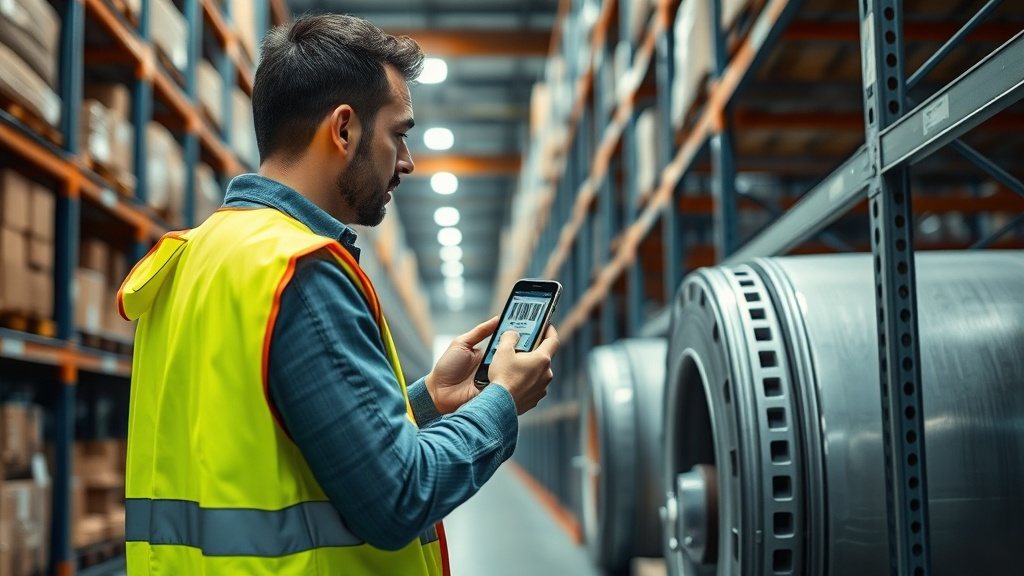
Most asset registers start their lives full of good intentions and end them slightly out of date. Someone moves a laptop from one desk to another, a generator gets sent out for repair, a projector quietly migrates to a different meeting room, and the spreadsheet that was supposed to track it all lags a week or two behind reality. The gap between what you own and what your records say you own is rarely the result of carelessness. It is the natural consequence of updates being awkward to make, so people put them off until later, and later has a way of never arriving.
The quiet fix for that awkwardness is already sitting in almost everyone's pocket. A phone with a camera can read the tag on an asset in a fraction of a second and pull up its full record, which means updating that record can happen in the exact moment something changes rather than in a batch entry session that nobody enjoys. This piece walks through how phone scanning actually works, what happens the instant a code resolves, how to get a clean read even from a battered label, and where a phone is genuinely the right tool versus where you would still reach for dedicated hardware.
The scanner already in your pocket
For a long time, reading a barcode meant buying a purpose-built device: a wedge scanner tethered to a computer, or a handheld terminal that cost as much as a decent laptop. That hardware still exists and still has its place, but it created a bottleneck. Scanning was something only a few people could do, at a few fixed locations, which meant asset updates funnelled through those people and those places. Everyone else who noticed a change had to report it and hope it got entered, and the reporting was exactly the step that tended to fall through.
A smartphone dissolves that bottleneck. The camera that reads a QR code is the same one that takes photographs, so there is nothing extra to buy, charge, or carry. When every member of staff can scan, everyone becomes a potential point of update. The technician who collects a machine for servicing can mark it checked out on the spot; the facilities officer walking a corridor can confirm a fire extinguisher is where the register says it should be. Distributing the ability to scan is really about distributing the ability to keep records honest, and that turns out to matter far more than the raw speed of any single scan.
What actually happens when you scan
A tag is not the asset record; it is a pointer to it. When your phone's camera resolves a QR code or a barcode, what it reads is a short string of characters — an identifier that the system recognises. The scan does not carry the asset's history, its value, or its condition in the code itself. Instead, that identifier is looked up, and the matching record is fetched and shown to you. This is why a tag can be small and simple while the record behind it is rich and detailed. The distinction between the two encodings matters here too, and it is worth understanding QR versus 1D barcodes before you commit to a tag format across your estate.
Once the record is on screen, the useful part begins. From that single scan you can view everything known about the item, assign it to a person or location, check it in or out, or update its condition without typing an identifier by hand. The scan has done the tedious work of finding the right record among thousands, leaving you free to make the change that actually matters. That is the real payoff: not that scanning is fast, but that it removes the step most likely to go wrong, which is a human choosing the correct entry from a long list and occasionally choosing the wrong one.
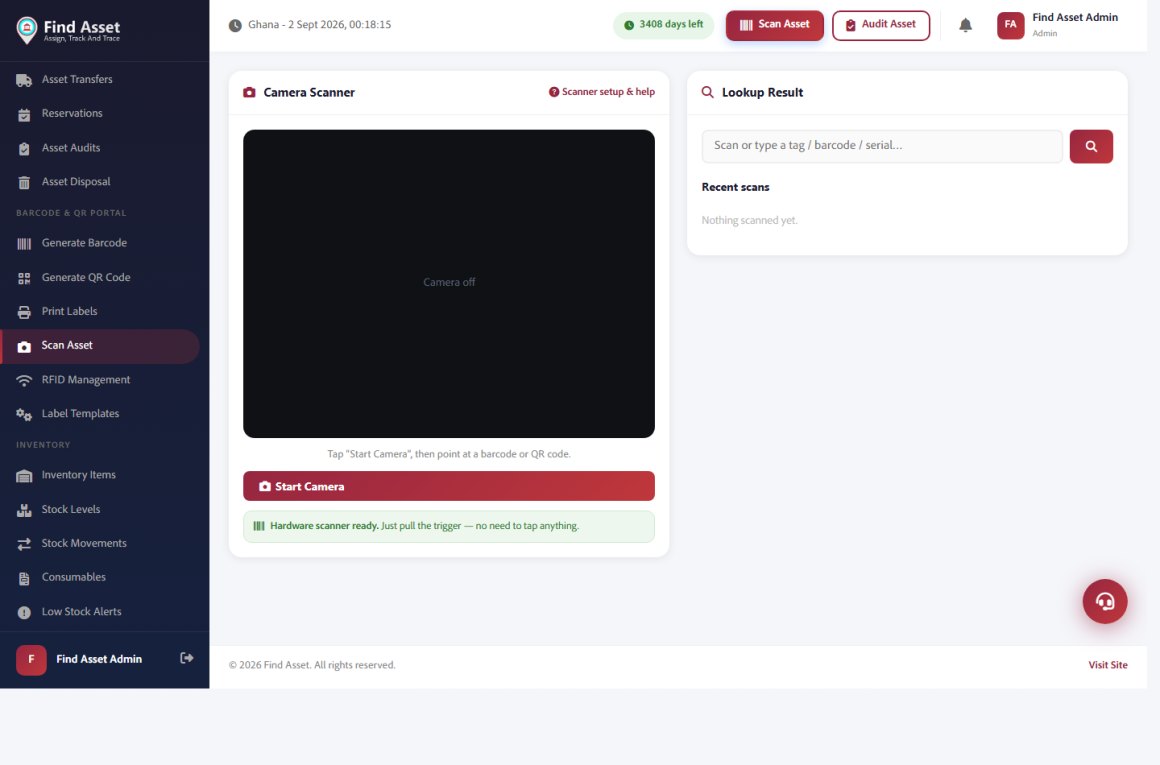
Scanning is built into Find Asset rather than bolted on. The scan screen below turns a phone camera or a plug-in hardware scanner into an instant lookup — start the camera (or just pull the trigger on a scanner) and point it at a tag; the exact asset record opens, ready to assign, check out, or verify in an audit. No app-switching, no typing an ID by hand.
Getting a clean read
Phone cameras are forgiving, but they are not magic, and a few small habits make the difference between an instant read and a frustrating one. Light is the first consideration. A code needs enough contrast for the camera to distinguish its dark and light regions, so a dim store cupboard or a shadow cast by your own body can slow things down. Most phones will fire the torch automatically in low light, but angling the tag towards a window or overhead light often works better and avoids the glare that a direct flash can throw back off a glossy label.
Distance and stillness come next. Hold the phone far enough back that the whole code sits comfortably in frame, then pause for a beat rather than sweeping across it. A dusty or greasy label is a common culprit for a stubborn scan, and a quick wipe with a sleeve frequently solves what looks like a deeper problem. Worn and damaged tags are trickier, but QR codes in particular tolerate a surprising amount of damage before they become unreadable. When a tag genuinely refuses to cooperate, it helps to work through a barcode won't scan checklist rather than assuming the code is dead.
| Situation | What tends to help |
|---|---|
| Dim or shadowed area | Angle the tag toward a light source, or let the torch assist |
| Glare off a glossy label | Tilt the phone slightly so reflected light misses the lens |
| Blurry or failed focus | Pull back so the full code is framed, then hold steady for a moment |
| Dusty or smudged tag | Wipe the surface before scanning |
| Worn or partially damaged tag | Rely on a QR code's error tolerance; if it fails, look up the record manually |
Scanning through a stock-take
The place where phone scanning proves itself most clearly is the annual or quarterly count. A stock-take done from a printed list is a slow, error-prone affair: you find an item, hunt for it on the sheet, tick it, and hope you ticked the right line. Scanning collapses that into a single motion. Point the phone at the tag, and the item is confirmed present the instant its record appears. What used to take a team a full day can shrink dramatically, not because anyone is rushing, but because the search step has simply vanished.
Reconciliation is where the real value lands. As each scan marks an item accounted for, the gap between expectation and reality becomes visible in real time — you can see what has been found and, just as importantly, what has not. Items that never get scanned are the ones worth investigating, whether they have been moved, borrowed, or genuinely lost. If you have never approached counting this way, it is worth walking through your first asset audit to see how the pieces fit together before the count itself begins.
Scanning during a count
- Each scan confirms an item present without hunting through a list
- Reconciliation happens live, so gaps surface as you go
- Unscanned items become your investigation list, not an afterthought
- Several people can scan different areas at once and sync to one record
- The tedious search step disappears, leaving only genuine decisions
Capturing more than the code
A scan does not have to be a bare lookup. Because the phone that reads the tag is also a camera and a location-aware device, the moment of scanning is a natural point to capture context. You can photograph the actual condition of an item as you check it — a cracked casing, a frayed cable, a serial plate — and attach that image directly to the record. You can note or confirm where the item physically sits, so the register reflects not just what exists but where it lives. This is scanning in a fuller sense than a supermarket till: reading a code, yes, but also gathering the surrounding evidence that makes a record trustworthy.
Connectivity should not stand in the way of any of this. Store cupboards, plant rooms, and warehouse corners are exactly the places where signal goes to die, so a phone that only worked online would fail precisely where it is needed most. The sensible pattern is to let scans and updates happen offline, held safely on the device, and sync them back when a connection returns. The person doing the count never has to think about it; they scan, they capture, they carry on, and the reconciliation catches up quietly in the background once they are back within reach of a network.
When a dedicated scanner still wins
Honesty demands an acknowledgement that a phone is not always the best instrument. High-volume environments are the clearest case. If someone is scanning thousands of items in a shift — a distribution centre receiving pallets, say — the ergonomics of a dedicated gun with a physical trigger and instant re-arm will beat tapping a phone screen over and over. The device is built for exactly that repetitive motion, and its battery and grip are designed to survive a full day of it without the fatigue that creeps into a hand cradling a phone.
Range and ruggedness are the other two considerations. A phone camera needs to be fairly close to a tag, so reading a label high on a warehouse rack or across a loading bay favours a long-range laser scanner instead. And in genuinely harsh settings — cold stores, dusty yards, sites where a device will be dropped onto concrete regularly — an industrial terminal rated for those conditions is a wiser investment than a consumer phone. The point is not that phones replace dedicated hardware everywhere, but that for the vast majority of ordinary organisations, most of the time, the phone is more than enough and infinitely more convenient.
Fitting scanning into everyday work
The strongest argument for phone scanning is not any single feature but the way it folds asset management into the flow of ordinary work. When updating a record costs a two-second scan rather than a trip to a computer, people actually do it, and a register that gets updated in the moment stays close to the truth. The same scan that checks an item out to a colleague is the one that keeps your data honest, which is why assigning and checking out assets becomes so much lighter once a phone is the interface rather than a keyboard at a distant desk.
None of this requires a change of habits so much as the removal of friction. The tag is already on the asset; the phone is already in the pocket; the record is already waiting to be found. Scanning simply connects the three in a single gesture, and once that connection is effortless, the discipline that keeps a register accurate stops feeling like discipline at all. It becomes the path of least resistance, which is the only kind of process people reliably follow without being reminded.
Bringing it together
Phone scanning earns its keep by making the right action the easy one. It turns every member of staff into a potential scanner, collapses the search step that causes most data errors, and lets updates, photos, and locations be captured in the moment they matter. Dedicated hardware still wins at high volume, long range, and in brutal conditions, but for everyday counting, checking, and reconciling, the device already in your hand does the job. If you would like to try it against your own assets, you can start a free 14-day trial and print a few tags to scan.
Start small if it helps. Tag a handful of items, walk around with your phone, and scan them into life; watch how quickly the register catches up to reality when updating it costs almost nothing. That first informal experiment usually tells you more than any specification sheet, because it lets you feel the friction disappear. Once you have felt it, the case for putting a scanner in every pocket rather than at a single desk tends to make itself, and the register stops drifting out of date because keeping it current has finally become the easiest thing to do.